DOCUMENTATION

Shipsite documentation

Shipsite is an AI site factory. It turns a keyword, product idea, or existing repository into an evidence-backed site you can review, preview, release, and keep operating. Automation prepares work; production, payments, and public claims stay behind human gates.

CURRENT PRODUCT CAPABILITIES
Start
Plan and build
Workflow, artifacts, and gatesThe pipeline combines specialist teammates, deterministic checks, durable documents, and one decision that stays with you: production. The crew locks the plan and visual direction, then starts the build. Approving a plan is not approval to publish.Studio workspaceStudio is organized around Plan, Build, and Operate—not a generic file browser or chatbot. Open the document behind an approval, inspect the labeled preview, then use Operate only after source exists.Read the locked product planThe crew locks the plan and visual direction, then starts the build. Read the evidence pack, search strategy, product boundary, route matrix, and acceptance criteria. Ask for a change if the plan is wrong. Production is the decision that stays with you.Team and model routingShipsite exposes 14 durable responsibility roles. A role card describes accountability, not a promise that every task invokes an independent model. Runtime stages, deterministic checks, and model choices remain distinguishable.Connections and credentialsEvery plan can plan and preview without a third-party AI connection. Free uses $0 hosted models; paid plans use the paid matrix. Connections are verified before they become active. Connecting an account never counts as a deploy, search submission, campaign publication, or payment.Connect GitHub, Cloudflare, and searchConnect GitHub when you want source in your account. Connect Cloudflare when you want production in your account. Connect Search Console or Bing only after a real production URL exists and you can verify ownership. Shipsite never bypasses those ownership checks.Dijiang, the site assistantDijiang coordinates. It can read project status, documents, launch checks, and recent failures, then answer or start governed work. It cannot approve a gate, publish production, spend ad budget, or complete an external login for you.
Ship and operate
Preview and production deploymentPreview is intentionally easy; production is intentionally gated and evidence-backed. A labeled preview is the version used for visual review and quality checks. Production requires the same version's quality check, launch approval, deployment manifest, runtime smoke, and recorded production URL.Generated-site runtimeGenerated pages can remain statically deployable while dynamic operations use a project-scoped Shipsite runtime. A checkout button is not evidence of a working payment flow until the webhook is verified.Search, analytics, and growthShipsite treats growth actions as auditable operations, not as silent automation or guaranteed rankings. It can prepare submissions and verify public proof. External login, CAPTCHA, ad spend, and campaign publication remain human actions.After the site is liveA live URL is the start of Operate, not the end of the factory. Confirm the production receipt, submit search evidence you actually own, turn on first-party events, and only then decide whether the next change is copy, links, a new page, or a pause.Import an existing siteImport does not rebuild the site first. It inspects the repository and, when available, the production URL, then records framework, commit, live status, and baseline evidence. Later changes go through the same gates as a new site.
Reference
Credits and billingA user action is billed once as a governed task. Shipsite shows an estimate, reserves a model-aware maximum, then settles the execution service fee plus actual Shipsite-paid provider cost. Unused reserved credits return automatically. Your own account adds no provider-cost credits.Safety and approval boundariesAutomation may prepare evidence and reversible work. Consequential external actions require an explicit decision and a real receipt. A coordinator or specialist agent cannot approve its own protected transition.FAQShipsite is an AI site factory for SEO-driven products you own. It does not guarantee rankings, does not auto-publish production, and does not treat a connected account as a completed action. Credits bill one governed user action, not every internal retry.GlossaryShipsite uses a small set of loaded words. An approval is a human decision bound to one document. A document is a versioned handoff. Preview is not production. Your own AI account means your provider pays the model; credits still pay the factory.TroubleshootingMost Shipsite failures are visible states, not silent crashes. Read the lane, the artifact, the connection status, and the reservation receipt before starting a second project or a new rerun.
01

What Shipsite does

Shipsite connects market research, product and search contracts, design direction, site generation, QA, deployment, search submission, analytics, and iteration in one workspace. The output is not only a rendered page: source, contracts, screenshots, checks, decisions, and release receipts stay attached to the site.
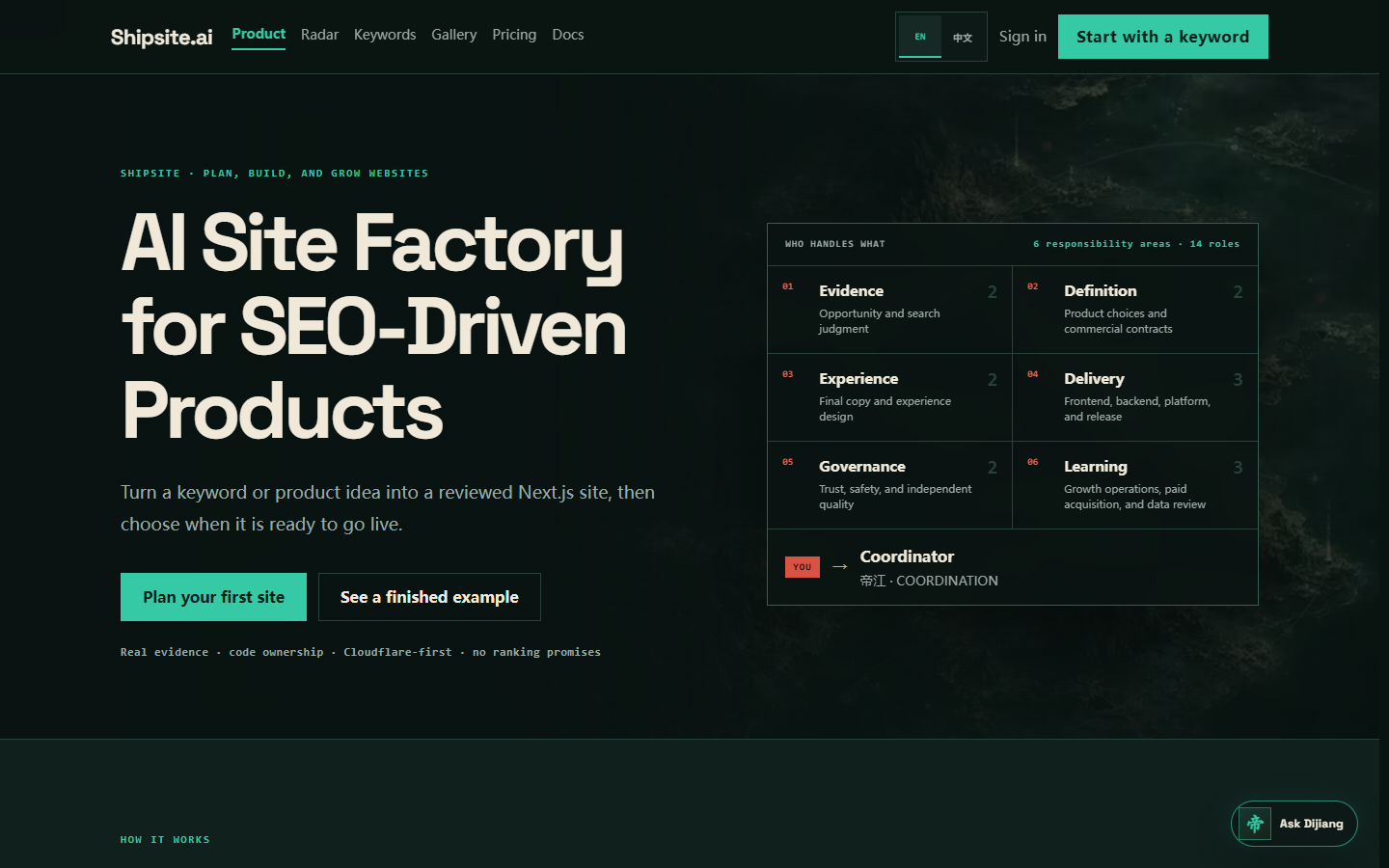
Shipsite homepage with the AI site factory headline and the six-lane responsibility atlas.
The public product surface states the job in one screen: turn an opportunity into a durable site, with your decisions left explicit.
02

Two ways to start

Create a new site from one specific search term or product job, or import an existing GitHub repository and production URL to establish an auditable baseline without rebuilding first.

  • New site: evidence → plan → your approval → build → preview → quality check → production approval.
  • Existing site: repository and live-site inspection → baseline → governed changes and releases.
03

The truth model

A configured button, stored credential, or queued task is not success. Shipsite marks a capability ready only after a real API response, artifact, build result, or live endpoint check. Missing providers and blocked actions stay visible instead of being simulated.